dyson v8 cordless vacuum manual
Dyson V8 Cordless Vacuum Manual: A Comprehensive Guide
This guide provides detailed instructions for your Dyson V8. Learn about setup, operation, maintenance, troubleshooting, and accessing the PDF manual for optimal cleaning performance.

The Dyson V8 cordless stick vacuum represents a significant leap in cleaning technology, offering powerful suction and versatile functionality without the constraints of a cord. This innovative machine is designed for homes with various floor types, tackling dust, dirt, and debris with ease.
Its lightweight design and conversion to handheld mode make it ideal for cleaning cars, furniture, and hard-to-reach areas. The Dyson V8 boasts a range of attachments, enhancing its adaptability to different cleaning tasks. Understanding its features and proper usage, as detailed in this manual, will ensure optimal performance and longevity.
This guide will walk you through everything from initial setup to advanced cleaning techniques, maximizing your cleaning experience with the Dyson V8.
Unboxing and Components
Upon unboxing your Dyson V8, carefully inspect the contents. You should find the main body of the vacuum, the wand, and the cleaner head – typically either a Direct Drive or Soft Roller head, depending on the model; A charger is also included, designed for charging with or without the machine docked.
Additionally, locate the combination tool and crevice tool for versatile cleaning. The hair screw tool may also be present, specifically designed for removing hair from upholstery and carpets. Ensure all components are present and undamaged. Refer to the included quick-start guide for a visual inventory.
Keep the original packaging for potential warranty claims or future transport. Familiarize yourself with each component before proceeding to the setup stage.
Getting Started: Initial Setup
Before first use, fully charge your Dyson V8. This typically takes around 3.5 hours. Connect the charger to the machine directly, or place the vacuum on the docking station if you have one. While charging, the LED lights will pulse; they’ll become solid when fully charged.
Assemble the vacuum by attaching the desired cleaner head to the wand, and then connecting the wand to the main body. Ensure a secure click indicates proper attachment. Select the appropriate tool for your floor type – the Direct Drive for carpets and the Soft Roller for hard floors.
Familiarize yourself with the trigger mechanism; pull it to activate the vacuum. A quick check of all connections ensures optimal suction and performance.

Using Your Dyson V8
Maximize cleaning with the Dyson V8! Explore power modes, attachments, and handheld conversion for versatile cleaning throughout your home, effortlessly and efficiently.
Powering On and Off
Starting your Dyson V8 is simple: just press the power button located near the handle. The vacuum will immediately begin operating. To pause cleaning, release the trigger – the machine will instantly stop. Important: The V8 doesn’t have a traditional ‘on/off’ switch; operation is entirely trigger-controlled.
For continuous cleaning, you must hold the trigger down. Releasing it conserves battery life. Be mindful of this feature during extended cleaning sessions. The machine is designed for quick starts and stops, optimizing power usage. Ensure your hand is clear of the trigger when not actively vacuuming to prevent accidental activation and battery drain. This intuitive design provides immediate control.
Selecting Power Modes (Max, Eco)
The Dyson V8 offers two primary power modes: Max and Eco. Max mode delivers the strongest suction, ideal for deep cleaning carpets and tackling stubborn dirt. Activate it by pressing the boost trigger on the handle while vacuuming. Note that Max mode significantly reduces runtime.

Eco mode provides up to 30 minutes of fade-free power, perfect for hard floors and lighter cleaning tasks. It’s the default setting when the machine is turned on. The LCD screen displays remaining runtime in real-time, adjusting based on the selected mode. Switching between modes is seamless – simply press the boost trigger as needed. Prioritize Eco mode for longer cleaning sessions.
Using Different Attachments
The Dyson V8’s versatility stems from its range of attachments. Easily swap tools by pressing the red release button on the wand or directly on the machine body. The Direct Drive cleaner head, with its stiff nylon bristles, excels on carpets, agitating and lifting ground-in dirt.
The Soft Roller cleaner head is designed for hard floors, gently capturing dust and debris without scratching. The Crevice Tool reaches into tight spaces, while the Combination Tool features a brush for dusting and a wide nozzle for general cleaning. Remember to securely attach each tool before use for optimal performance.
The Direct Drive Cleaner Head
The Direct Drive cleaner head is specifically engineered for deep carpet cleaning. Its nylon brush bar spins up to 300 times per second, powerfully agitating carpet fibers to release stubborn dirt and debris. This head features stiff bristles, making it ideal for removing ground-in dirt from all carpet types.
Ensure the brush bar is free from hair and fibers for optimal performance – regular cleaning is recommended. This attachment connects directly to the wand or the main body of the Dyson V8. It’s a robust tool designed for homes with significant carpeted areas, delivering a thorough and effective clean.
The Soft Roller Cleaner Head
The Soft Roller cleaner head is designed for hard floors, capturing both large debris and fine dust simultaneously. Its unique, soft woven nylon roller gently picks up dust and debris from hard floors without scratching or causing damage. This head is particularly effective on wood, tile, laminate, and vinyl flooring.
The roller is engineered to maintain constant contact with the floor, ensuring consistent suction across the entire width of the head. Regular inspection and cleaning of the roller are crucial to remove tangled hair and maintain peak performance. It easily attaches to the wand, providing a seamless transition between floor types.
Crevice Tool and Combination Tool
The Crevice Tool allows for precise cleaning in tight spaces, such as along edges, between cushions, and in narrow gaps. Its slender design reaches where standard cleaner heads cannot, effectively removing dust and debris from hard-to-reach areas. The Combination Tool offers versatility with its brush and wide nozzle;
The brush component is ideal for dusting delicate surfaces like lampshades and furniture, while the wide nozzle is perfect for upholstery and curtains. Easily switch between functions for varied cleaning tasks. Both tools attach directly to the wand or the main body in handheld mode, expanding the Dyson V8’s cleaning capabilities beyond floors.
Maintenance and Care
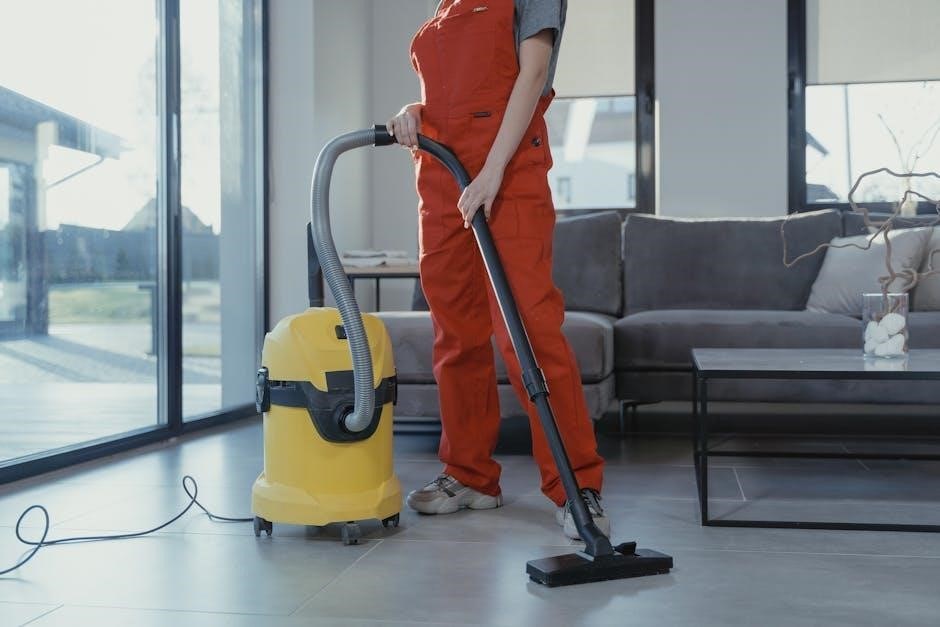
Regular maintenance ensures peak performance. This includes emptying and washing the bin, plus consistent filter cleaning or replacement, for optimal suction power.
Emptying the Bin
To empty the bin on your Dyson V8, first ensure the vacuum is powered off. Press the red bin release lever located on the body of the machine. This will open the bottom of the bin, allowing debris to fall out.
Point the bin over a trash receptacle during emptying to minimize mess. You may need to use a soft brush to dislodge any stubborn dirt or hair clinging to the bin walls. Avoid overfilling the bin, as this can reduce suction performance.
Once emptied, slide the bin back into place until it clicks securely. Regular bin emptying is crucial for maintaining optimal suction and cleaning efficiency; It’s a simple step that significantly impacts your vacuum’s performance.
Washing the Bin
To wash the bin of your Dyson V8, detach it as described in the ‘Emptying the Bin’ section. Rinse the bin thoroughly with cold water only – do not use detergents, as these can damage the plastic. Ensure all dirt and debris are removed;
Before reassembling, allow the bin to air dry completely. This is crucial; using a damp bin can damage the motor and affect performance. Check for any blockages in the bin’s inlet while it’s drying.
Once fully dry, reattach the bin to the main body of the vacuum, ensuring it clicks securely into place. Regular washing keeps your Dyson hygienic and maintains optimal suction.
Filter Maintenance
Maintaining the filter in your Dyson V8 is vital for consistent performance. A clean filter ensures strong suction and prevents motor overheating; Dyson recommends washing your filter regularly – typically once a month, depending on usage.
Remove the filter from the machine (refer to your full manual for location). Rinse it under cold water until the water runs clear. Do not use detergents. Allow the filter to air dry completely for at least 24 hours before reinstalling.
Replacing the filter is necessary every 12 months, or sooner if heavily used. A worn filter significantly reduces suction power. Purchase a genuine Dyson replacement filter for optimal results.
Washing the Filter
Regularly washing your Dyson V8’s filter is crucial for maintaining optimal suction power. Begin by removing the filter from the machine – consult your user manual for precise location and removal instructions. Rinse the filter thoroughly under cold water, gently squeezing to release trapped dust and debris. Continue rinsing until the water runs completely clear.
Avoid using any detergents or cleaning agents, as these can damage the filter material. Once clean, shake off excess water and allow the filter to air dry completely for a minimum of 24 hours. Ensure it is fully dry before reinstalling it into your Dyson V8.
Replacing the Filter
Over time, even with regular washing, your Dyson V8’s filter will degrade and require replacement to maintain peak performance. A clogged or damaged filter significantly reduces suction and cleaning effectiveness. Dyson recommends replacing the filter at least once a year, or more frequently if you use the vacuum heavily or in dusty environments.
To purchase a replacement filter, visit the Dyson website or an authorized retailer. Ensure you order the correct filter specifically designed for the Dyson V8 model. Installation is straightforward – simply remove the old filter and insert the new one, following the instructions in your user manual.
Troubleshooting Common Issues
This section addresses frequent problems like no power, suction loss, or a brush bar that won’t spin, offering solutions for a smoothly functioning Dyson V8.

Vacuum Not Turning On
If your Dyson V8 fails to power on, first ensure the battery is adequately charged by connecting it to the charger and verifying the indicator light. Check if the trigger is fully depressed during operation; it must be held down continuously.
Inspect the bin for any blockages, as a full bin can prevent the machine from starting. Confirm the filter is clean and properly installed, as a clogged filter can also cause this issue. Occasionally, a reset may be necessary – disconnect the machine from the charger and attempt to power it on again.
If these steps don’t resolve the problem, consult the full PDF manual for more detailed troubleshooting guidance or contact Dyson support for assistance.
Loss of Suction
Experiencing reduced suction with your Dyson V8? The most common cause is a full bin – empty it immediately. Next, thoroughly check for blockages in the wand, cleaner head, and hose. Detach these components and visually inspect for obstructions like hair or debris.
Ensure the filter is clean; a dirty filter restricts airflow. Wash and completely dry the filter before reinstalling. Verify all connections are secure and airtight. A loose connection can lead to suction loss.
If the problem persists, refer to the comprehensive PDF manual for detailed diagrams and further troubleshooting steps, or contact Dyson customer support for expert help.
Brush Bar Not Spinning
If the brush bar on your Dyson V8 isn’t rotating, first power off and unplug the vacuum. Carefully inspect the brush bar for tangled hair, threads, or debris that may be causing a jam. Remove any obstructions to allow free movement.
Check the cleaner head for blockages as well. Ensure the brush bar is correctly seated and securely attached. A loose brush bar won’t spin effectively. Consult the PDF manual for specific instructions on brush bar removal and reinstallation.
If the issue continues, a motor fault might be present; contact Dyson support for assistance and potential repair options.
Advanced Features & Tips
Unlock the Dyson V8’s full potential by converting to handheld mode, utilizing the wand for extended reach, and optimizing battery charging habits.
Converting to Handheld Mode
The Dyson V8 effortlessly transforms into a handheld vacuum for versatile cleaning above floors. To convert, simply detach the wand from the main body of the vacuum. Then, connect your chosen attachment – such as the crevice tool or combination tool – directly to the inlet pipe.
This configuration is ideal for cleaning upholstery, car interiors, stairs, and other tight spaces. The handheld mode maintains the powerful suction of the Dyson V8, ensuring effective dirt and debris removal. Remember to securely attach the tool before use, and always point the vacuum away from your face while operating in handheld mode for optimal safety and cleaning efficiency.

Using the Wand for Reach
The Dyson V8’s wand extends your cleaning reach, allowing you to tackle high ceilings, curtains, and under furniture with ease. Simply attach the wand to the main body of the vacuum, ensuring a secure connection. Combine the wand with your preferred cleaner head – the Direct Drive or Soft Roller – for optimal floor cleaning.
The lightweight design of the wand makes it maneuverable and comfortable to use. For extended reach, consider using the wand without a cleaner head to access difficult-to-reach areas. Remember to check for obstructions before extending the wand fully, and always maintain a firm grip for stability during operation.

Charging the Battery
To charge your Dyson V8, connect the charger to the machine and plug it into a wall outlet. You can charge with the wand attached or detached. A solid orange light indicates the vacuum is charging, and the light will turn off when fully charged. A full charge typically takes around 3.5 hours.
For optimal battery health, Dyson recommends storing the vacuum on the charging dock when not in use. Avoid leaving the battery depleted for extended periods. The battery performance may gradually decrease over time, which is normal for all rechargeable batteries. Using ‘Max’ mode frequently will reduce runtime.
Downloading the Dyson V8 Manual (PDF)
Accessing a digital copy of your Dyson V8 cordless stick vacuum manual is simple and convenient. Dyson provides a downloadable PDF version directly on their website, offering a readily available resource for all users. This PDF, approximately 2.93 MB in size, contains the complete user guide, including detailed instructions, safety information, and troubleshooting tips.
Downloading the manual allows you to easily search for specific information or view it offline. You can find the link to download the PDF manual on the official Dyson support page for the V8 model. Having a digital copy ensures you always have access to essential information about your vacuum cleaner.